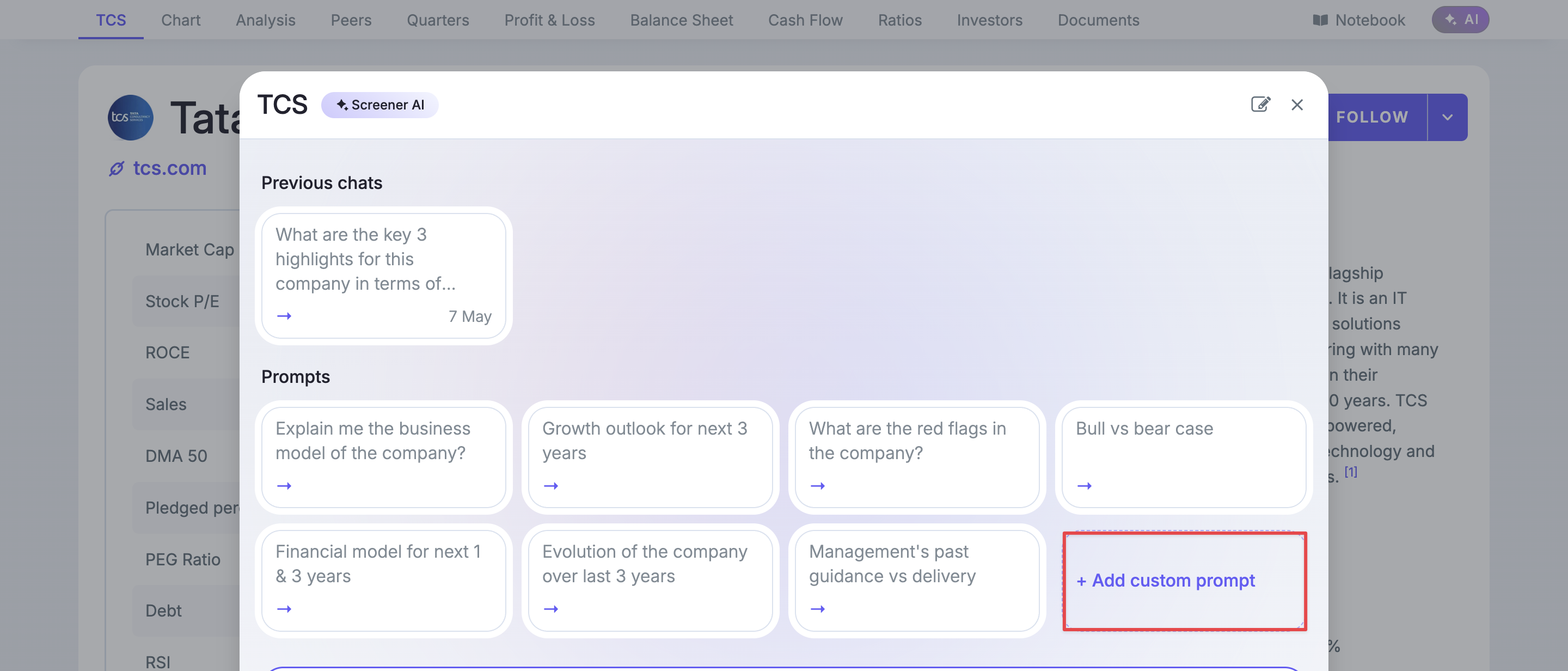
Ask the same question across companies without typing it again. Open a company’s AI → Add a custom prompt, enter your question and save it. Your prompts appear for every company.
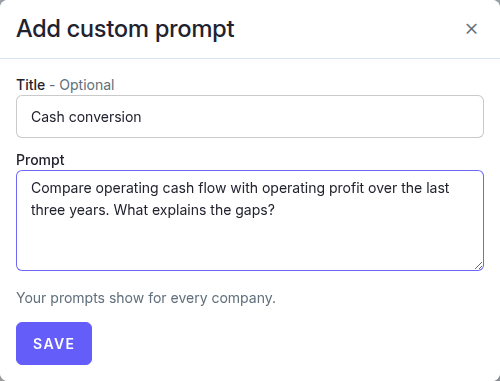
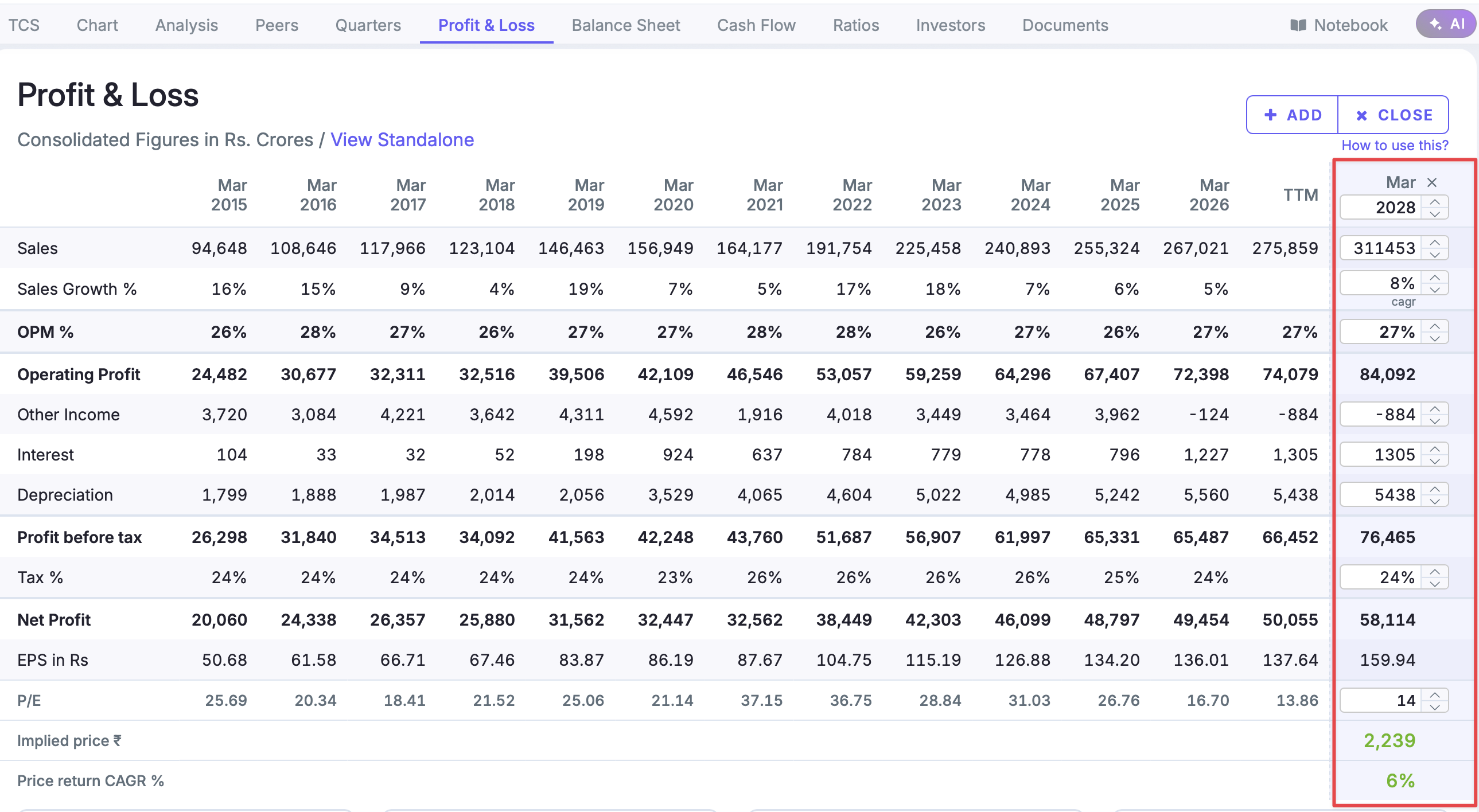
For example, start with TCS: “Compare operating cash flow with operating profit over the last three years. What explains the gaps?” Save it as Cash conversion, then reuse it when researching Infosys.
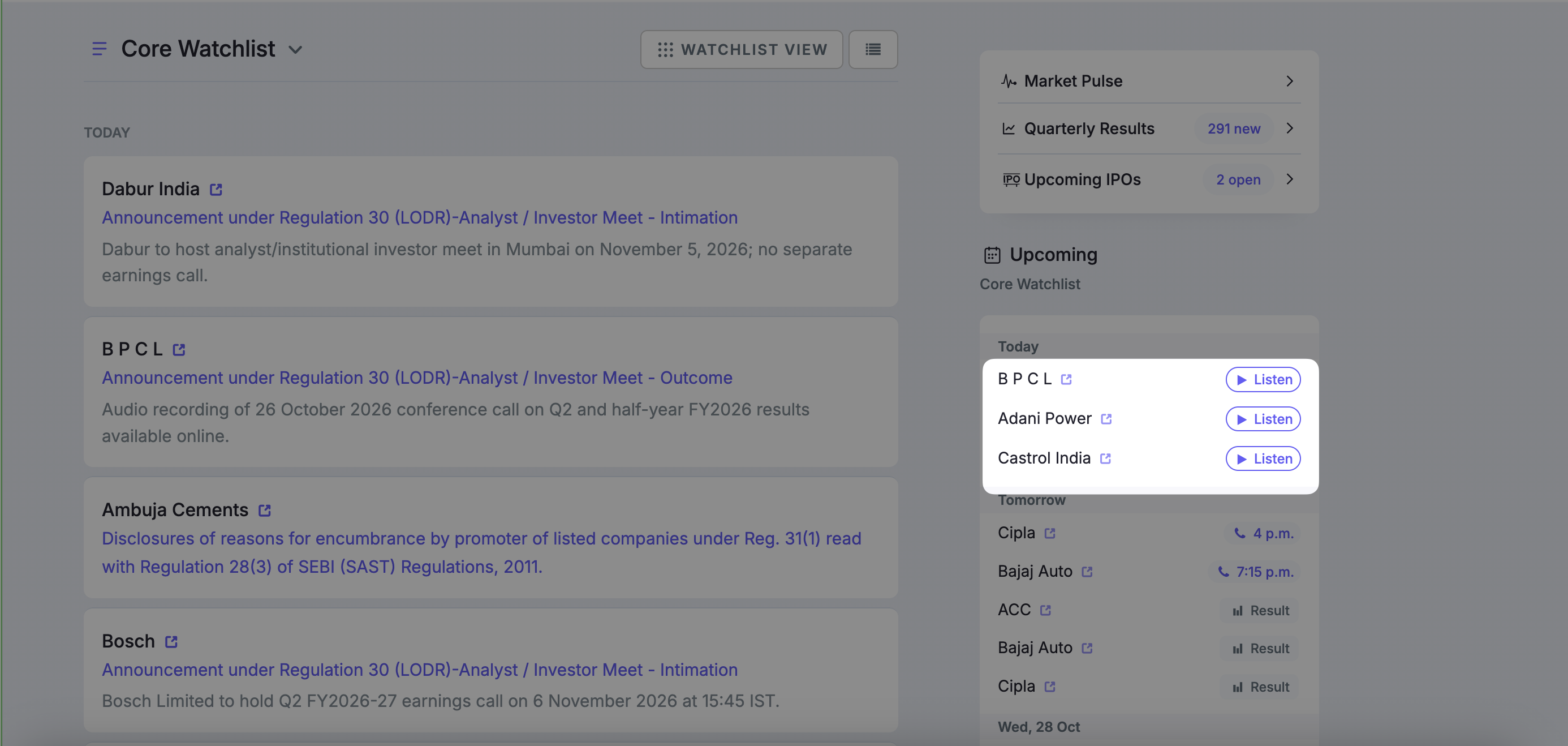
Follow earnings calls without dialling in. In your watchlist feed’s Upcoming section, click Live when it appears beside a company to listen directly on Screener.
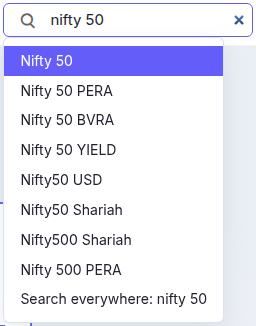
Try searching forNifty 50: The main index now surfaces at the top, above variants like Nifty 50 PERA and Nifty 50 BVRA allowing you to view and research the primary index immediately without sorting through alternative structures. Index Search
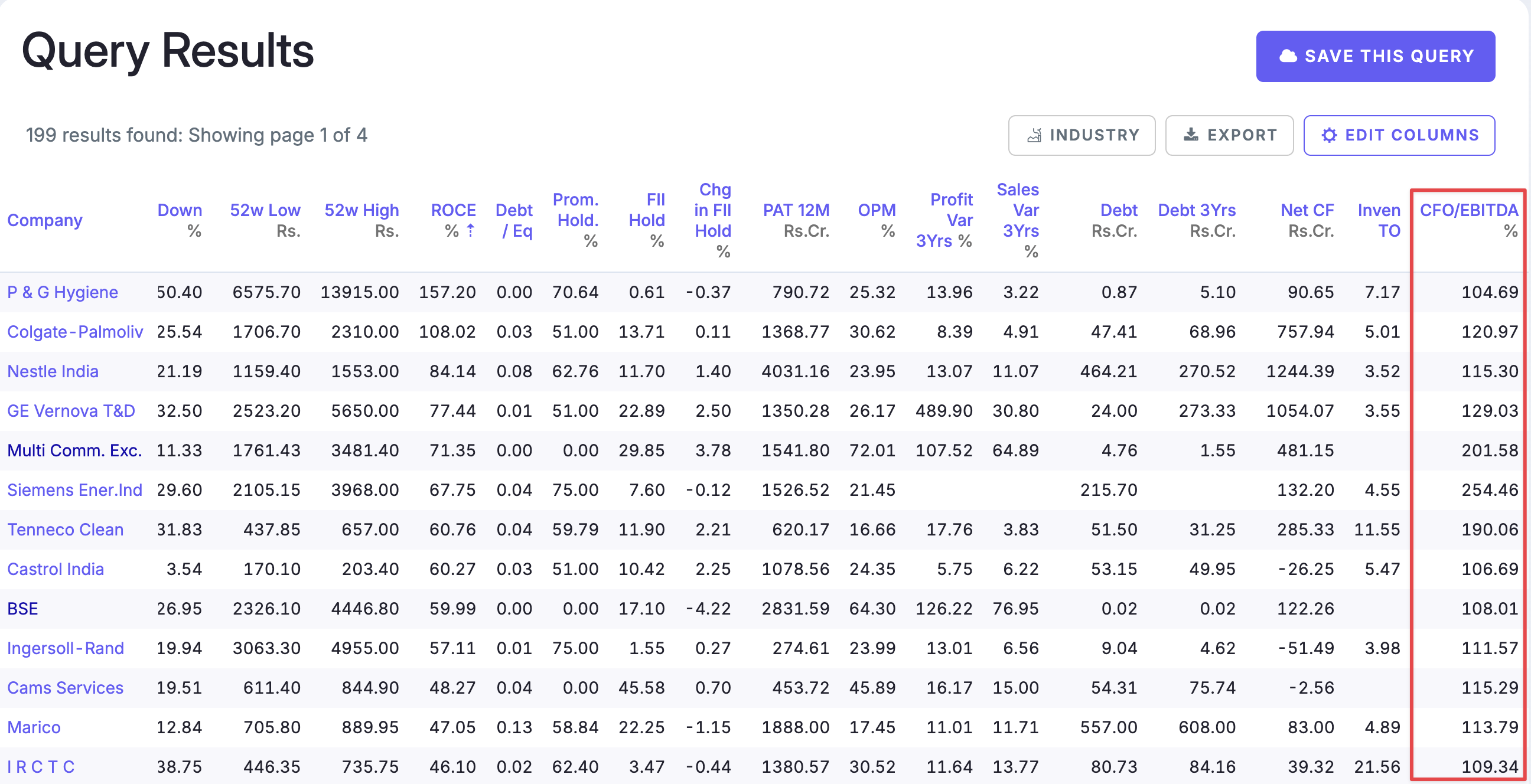
We added CFO to EBITDA last year to your screens to compare operating cash flow before tax with operating profit, expressed as a percentage.
Try: CFO to EBITDA last year > 100 AND Market Capitalization > 10000
You can also open its Cash Flows section and review CFO/EBITDA across years to see whether cash conversion is consistent, rather than relying on one year. CFO/EBITDA
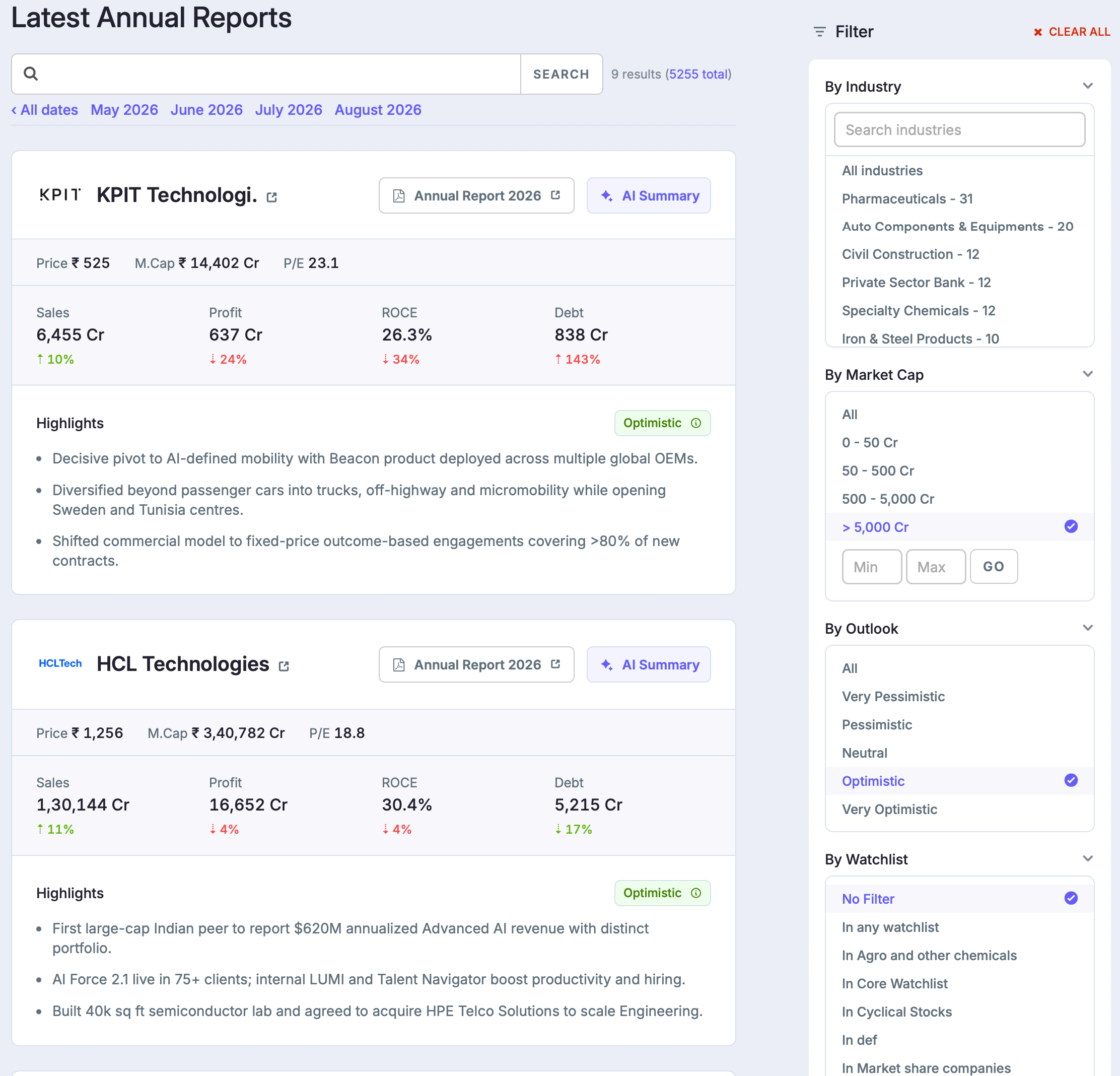
The updated Annual Reports page brings company financials and report highlights together.
Filter by industry, market cap, and Outlook.
Compare Sales, Profit, ROCE, and Debt alongside Price, Market Cap, and P/E.
Read AI summaries where available, click an Outlook badge for its explanation, and open the original annual report to check the details.
Try Computers - Software & Consulting, market cap above ₹5,000 Cr, and Optimistic Outlook. Review HCL Technologies’ financial card, then read its summary before diving into the report.
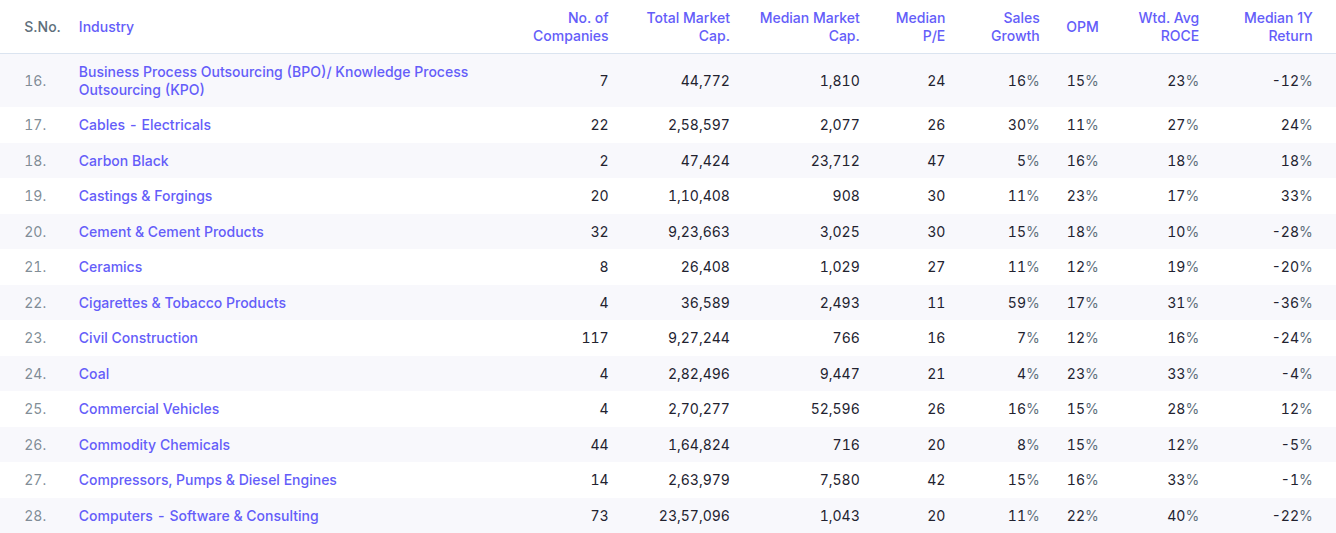
Sales Growth and OPM (operating profit margin) on Industries Overview now use combined company sales and operating profits, rather than market-cap-weighted averages.
Sales Growth compares matching periods for the same companies, using trailing-12-month figures where available and annual figures otherwise. OPM uses companies with both sales and operating profit available.
For example, compare Computers - Software & Consulting with Cement & Cement Products, then open the software industry to research TCS or Infosys.